
Log in to USpin safely and quickly
Log in to USpin quickly, solve access problems and read how we secure your account. Support 24/7 via chat and email. Adults only.
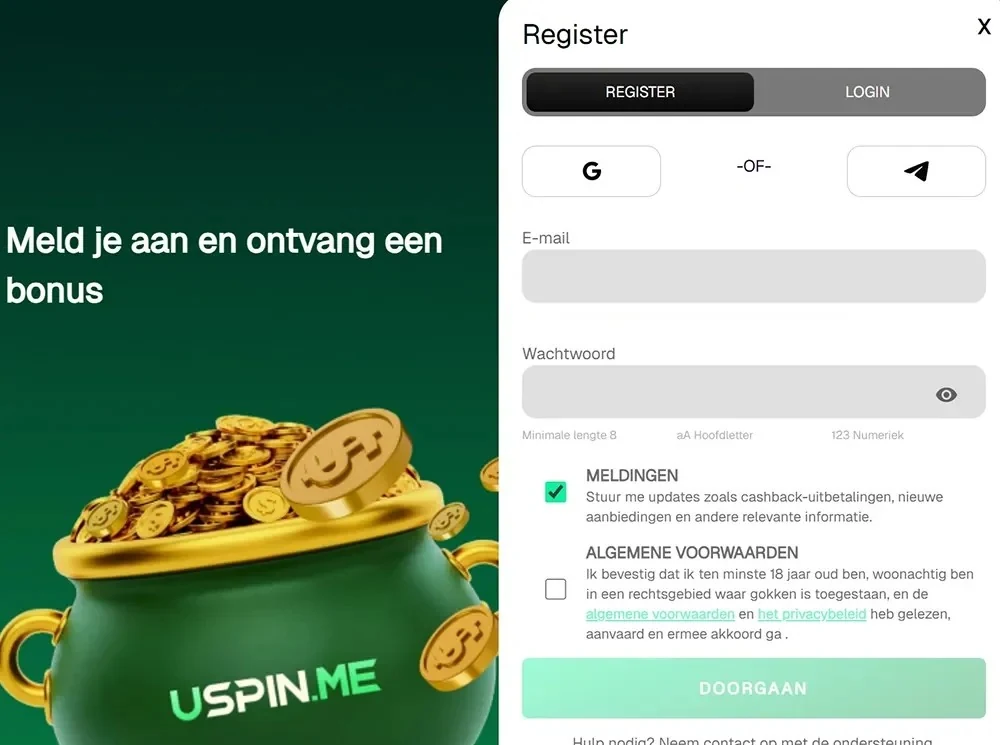
With your USpin account you have access to the casino, live dealers, the sportsbook and your cashier. Below: how to log in, how we secure your account, and what to do if logging in fails.
Logging in on desktop
Logging in takes just a few seconds. You use the details you set up when you signed up, with your email address as the basis.
- Open the USpin site in your browser.
- Click the login button at the top of the page.
- Enter your email address and your login details.
- Click log in: the lobby opens right away.
- Check in My Account that your details are correct.
Logging in on mobile
On a phone or tablet you log in through the browser; you don't need a separate casino app. You use the same account as on desktop.
- Open your mobile browser and go to the USpin site.
- Open the menu and choose log in.
- Enter your login details.
- Carry on in the lobby, the sportsbook or the cashier.
Want faster access? Put a shortcut on your home screen. You can read how that works on our mobile page.
No account yet?
If you don't have an account yet, first read how to sign up on the registration page. Then log in as described above.
What you find after logging in
After logging in, your personal area is ready. There you manage everything around your account, bonuses and payments.
- My Account: your profile details and documents
- My Bonuses: choose and activate bonuses
- My Bets: overview and control of your bets
- Cashier: deposits and withdrawals
- Favourites: your saved games
- Opt In: turn jackpot participation on or off
How we secure your account
We use SSL encryption to secure the connection between your device and our site. Personal data is processed in encrypted form via modern payment solutions. All transactions are monitored and checked under anti-money laundering rules. For payouts above €1,000 we carry out an extra check.
Rules that protect your account
A few fixed rules keep your account safe and personal.
- One account per person, address, phone number, email address, IP address and household
- An account may not be sold, transferred or bought
- Transferring money between accounts isn't possible
- Don't use a VPN or IP masking
- Only pay with methods in your own name
When we suspend an account
We may suspend or close an account in case of incorrect registration details, failed identity verification, duplicate accounts or suspected fraudulent activity. A chargeback can also lead to the account being blocked. In such a case, contact our support team.
Solving login problems
If logging in doesn't work, it's usually down to one of these situations.
| Problem | Cause | Solution |
|---|---|---|
| Account suspended | Incorrect details or duplicate account | Contact support via chat or email |
| Account inactive | No login for 12 months; notice by email 30 days in advance | Log in again; administration fees stop and you can request a refund |
| Self-exclusion active | The period you chose is still running | After the period your account reopens automatically |
| Access via VPN | IP masking counts as irregular play | Log in without a VPN |
| Uploading doesn't work on mobile | Not every device supports uploading | Use the desktop version |
| Second account in the household | One account per household | Use the existing account |
Lost access or forgot your password
If you can't get into your account anymore, our support team helps you out. The team is available 24/7, all year round.
- Start a conversation in live chat, or send an email to support@uspin.me.
- Send your email from the address you registered with.
- Include your username and full name.
- Follow the team's instructions to regain access.
Taking a break or closing your account
If you don't want to log in for a while, request self-exclusion via customer service and state the period you want. After that, your account reopens automatically. Closing an account is possible with a zero balance and no pending withdrawal requests. If you close with a positive balance, only your last deposit is refunded; so withdraw your balance first. You can read more about this on responsible gaming.
Frequently asked questions about logging in
Short answers to the most common questions.
Can I use several accounts?
No. One account applies per person and per household. With duplicate accounts, promotions and winnings are cancelled and the account may be closed permanently.
Can I log in with a VPN?
No. Using a VPN or IP masking counts as irregular play and can lead to loss of bonuses.
What happens if I don't log in for a long time?
After 12 months without logging in, your account is inactive. You get an email 30 days in advance. If you log in again, the administration fees stop.
Is support always available?
Yes, 24/7 via live chat and at support@uspin.me.
Adults only. Gambling carries financial risks: set limits and take regular breaks.